
Code Search
Forgejo supports code search through an indexer and git-grep as a fallback when REPO_INDEXER_ENABLED is disabled.
Basic (git-grep)
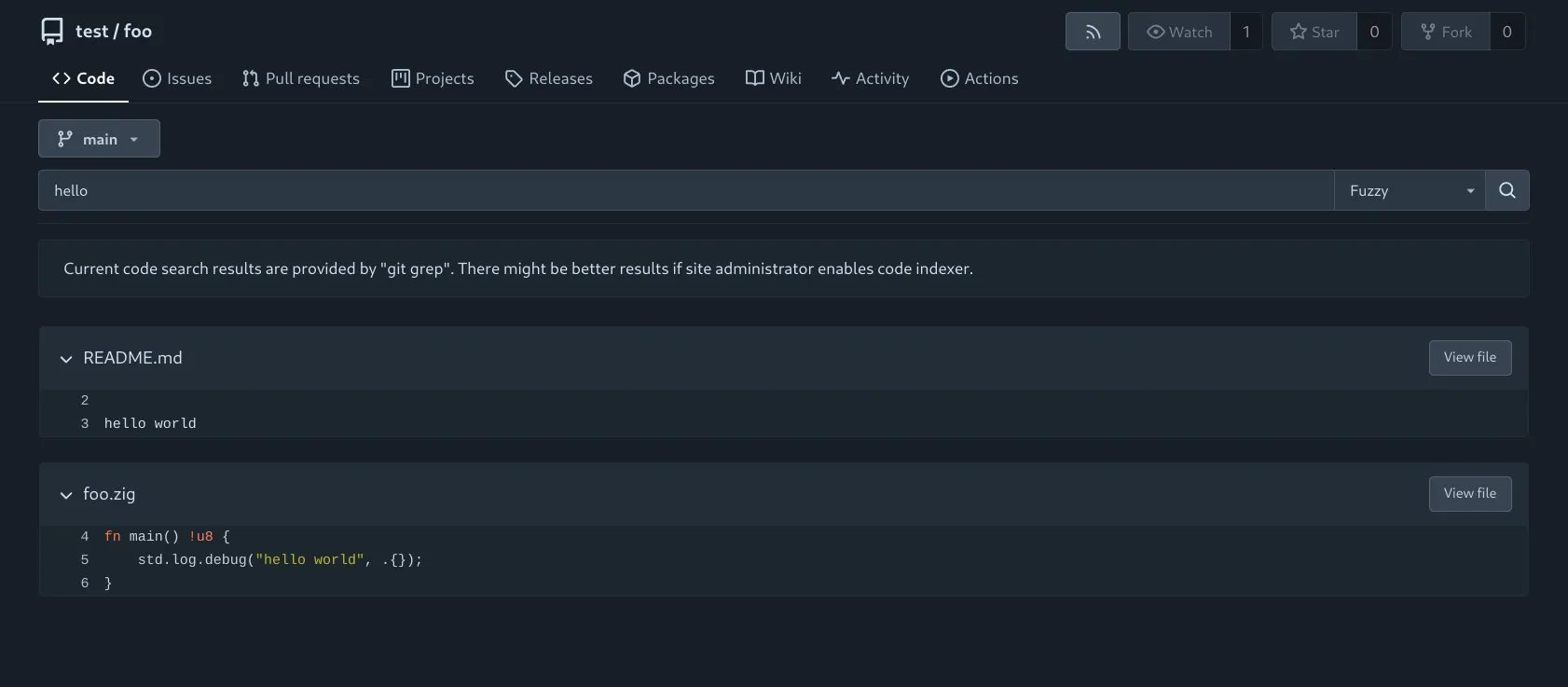
When REPO_INDEXER_ENABLED is set to false, code search is restricted to a single repository, utilizing the git-grep command.
Supported Options
The following options are currently available for code search while using git-grep.
- Exact: Perform an exact match on the provided expression.
- Union: Conduct a union match, returning results that contain at least one of the specified keywords. For example, a search query containing
hello worldwill yield results with eitherhelloorworld. - RegExp: Utilize the provided regular expression to perform a pattern-based match (matches will not be highlighted).
Scope
Since git-grep is performed on the fly, it can be executed on any valid branch or tag. The currently active branch/tag is displayed as the default value in the dropdown menu above the search bar, allowing users to easily switch between branches and tags.
Searching within a specific directory (or file) executes git-grep using a literal pathspec for the given path. If REPO_INDEXER_INCLUDE has been set by the administrator, the filter is added if and only if it matches one of the globs.
Example
Performing a search for foo at /{user}/{repo}/src/branch/main?path=src returns results that belong to the branch main inside the directory /src.
main
├── docs -> [...]
└── src
    └── main.go
    └── utils.go
In the above figure, the search would match results for foo in main.go and utils.go, but not from docs/*.
Indexer
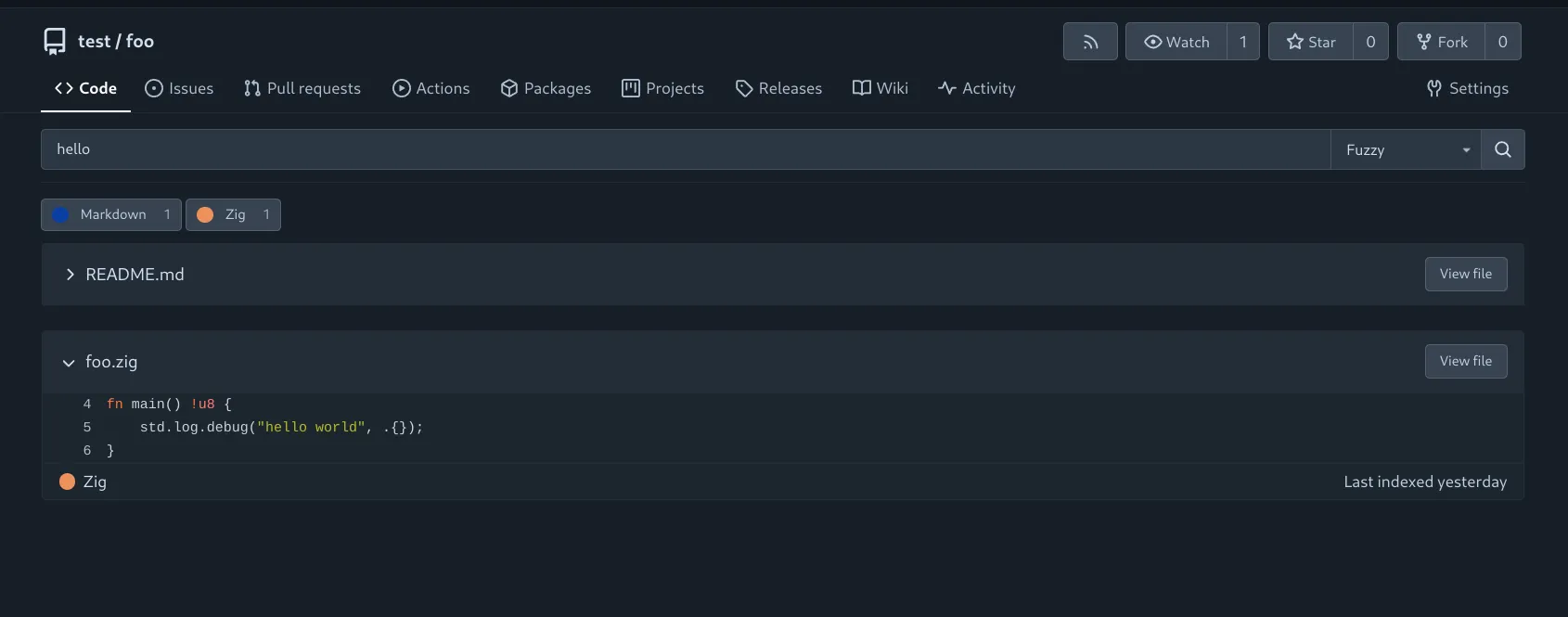
For complex searches or cross-repository queries across an entire organization or instance, REPO_INDEXER_ENABLED must be set to true.
This enables code search via the selected indexer (REPO_INDEXER_TYPE).
Supported Options
The following options are currently available for code search while using an indexer.
- Exact: Perform an exact match on the provided expression.
- Union: Conduct a union match, returning results that contain at least one of the specified keywords. For example, a search query containing
hello worldwill yield results with eitherhelloorworld. - Fuzzy (if enabled by the administrator): Conduct a fuzzy search, returning results that contain the keyword within a maximum edit distance of 2. For example, a search query containing
hellowill yield results with:- edit distance of 0:
hello - edit distance of 1: For example,
hllo(delete),helloo(add),hallo(modify).
- edit distance of 0:
NOTE: Fuzzy search requires the admin to set
REPO_INDEXER_FUZZY_ENABLED
Scope
Please note that when using the repository indexer, search results are limited to the contents of the default branch of each repository.
Similar to basic search, searching within a directory (or file) is also possible for advanced search.
However, unlike basic search, the search is more granular as it applies the filter but selectively includes/excludes files depending on REPO_INDEXER_INCLUDE/REPO_INDEXER_EXCLUDE.