Profile customization
By default, the profile page of a user (or an organization) is the list of repositories they own. It is possible to customize it with a short description that shows to the left, under their avatar. It can now be fully personalized with a markdown file that is displayed instead of the list of repositories.
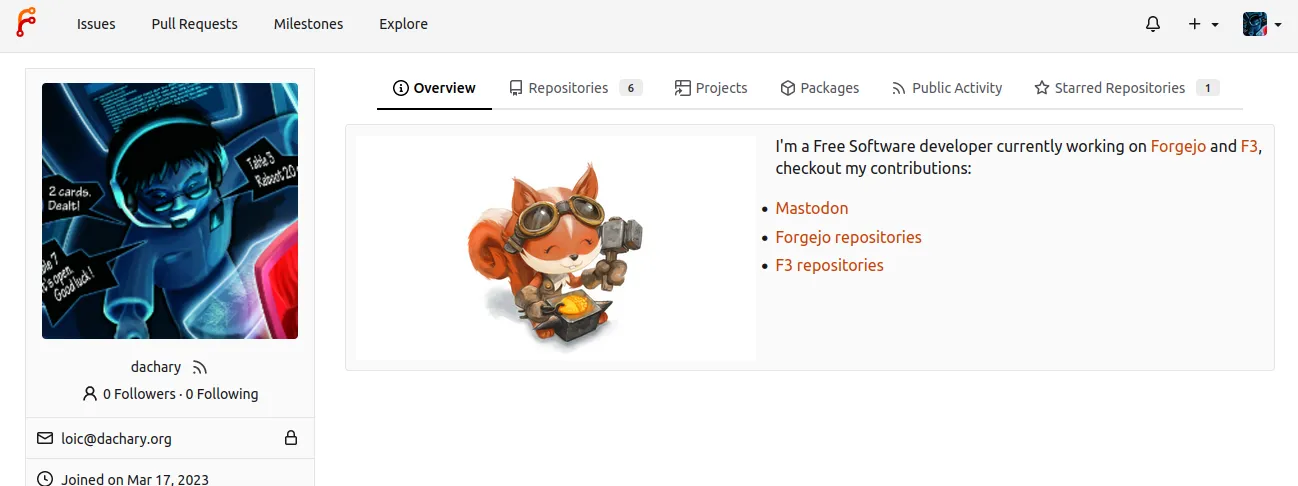
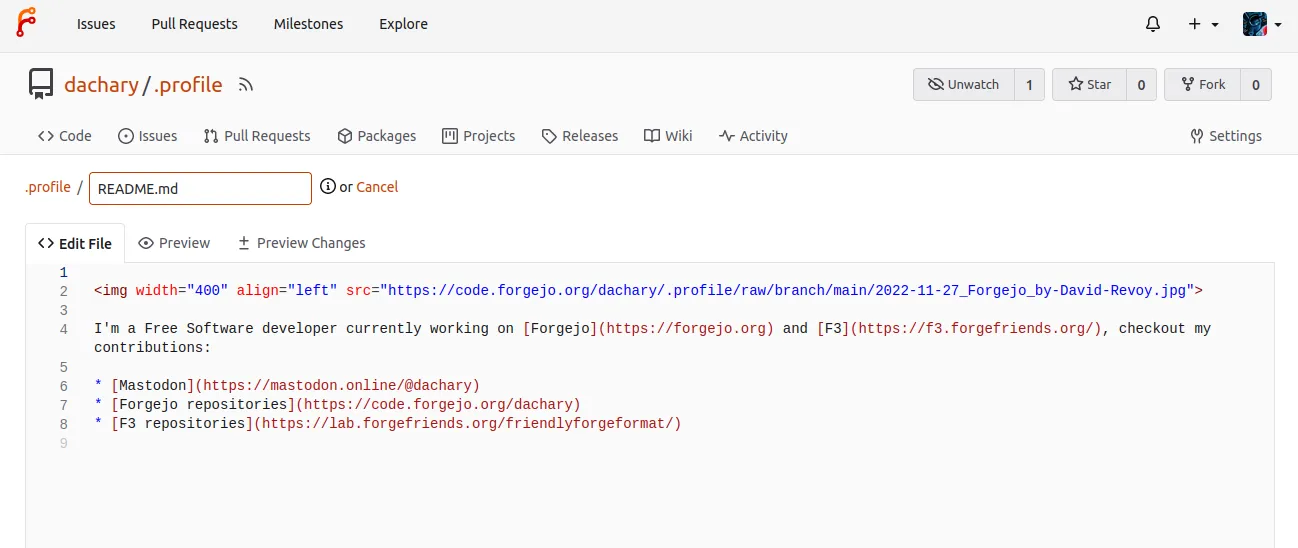
It uses the README.md file from the .profile repository of the
user (or organization), if it exists.
Forked .profile repositories do not display profile content - only regular
.profile repositories (not forks) will be used to populate the profile page.
If you want to use content from a forked .profile repository, convert the
fork to a regular repository in the “Danger Zone” section of repository
settings.
Making the .profile repository private will hide the Profile README.
Rather than supporting multiple social links on the profile card, under the user
avatar, such links - including
rel=me
attributes - can be placed in the .profile README instead. This gives a user a
lot of flexibility on how they wish to display these links. To add a rel=me
attribute, the link should be written in HTML, rather than in Markdown format,
for example: <a rel="me" href="https://social.example.com/@username">Fediverse</a>.